
Multi Site Configuration
The Bynder Picker for Jahia supports a two tier configuration model:
- A global configuration that applies across the entire Jahia instance
- A per site overrides that let each site define its own picker behavior.
This is what makes the module suitable for multi tenant and multi brand Jahia deployments where different business units need editorial independence without duplicating the module or forking code.
Why per site configuration matters
Section titled “Why per site configuration matters”In a single Jahia instance running many sites, one global only configuration forces every site to browse the same Bynder library with the same filters, which breaks down as soon as different brands, regions, or business units need their own governance rules. Per site configuration solves this by letting administrators layer site specific rules on top of sensible global defaults.
- Site A can restrict the picker to a single Bynder Collection, for example a “Brand A Approved” collection, enforcing strict brand governance.
- Site B can instead default the picker to a metaproperty filter, for example “Region: EMEA” and “Status: Approved for Web”, giving looser but still compliant access.
- Site C can simply inherit the global defaults with no override at all, useful for smaller or lower priority sites.
Configuration precedence
Section titled “Configuration precedence”Settings resolve in this order, from lowest to highest priority:
- Global defaults (endpoint, token, transformation toggle, default file picker asset types, button colors).
- Site level overrides (collection filters, metaproperty defaults).
If a site does not define an override for a given setting, it falls back to the global value automatically. This means adding a new site with no configuration at all is safe by default, it simply inherits global behavior.
Setting it up via the JContent Panel
Section titled “Setting it up via the JContent Panel”-
Navigate to the target site in the Jahia administration console.
-
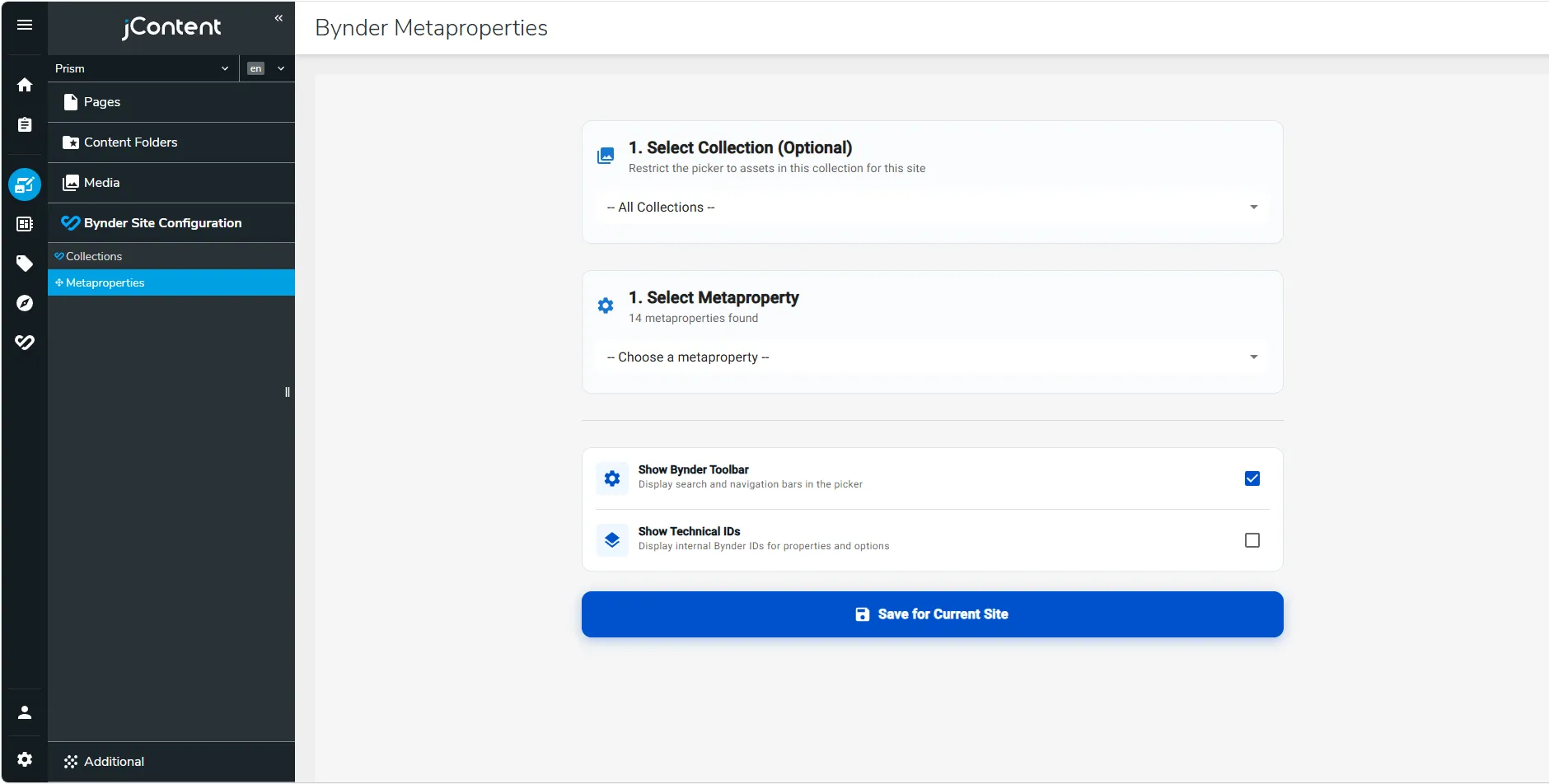
Locate and open Bynder Site Configuration panel.
-
Configure
- Bynder collection to scope the picker to (optional).
- Metaproperty filters to apply as default search criteria (optional, one or more key/value pairs).
-
Save. Changes apply immediately to editors working within that site, with no restart required.
Worked example
Section titled “Worked example”| Site | Filter strategy | Governance level |
|---|---|---|
| Site 1 (Flagship brand) | Bynder Collection “Brand A Approved” | Strict |
| Site 2 (Regional site) | Metaproperties: region, approval status | Moderate |
| Site 3 (Internal/UGC site) | No override, inherits global defaults | Loose |
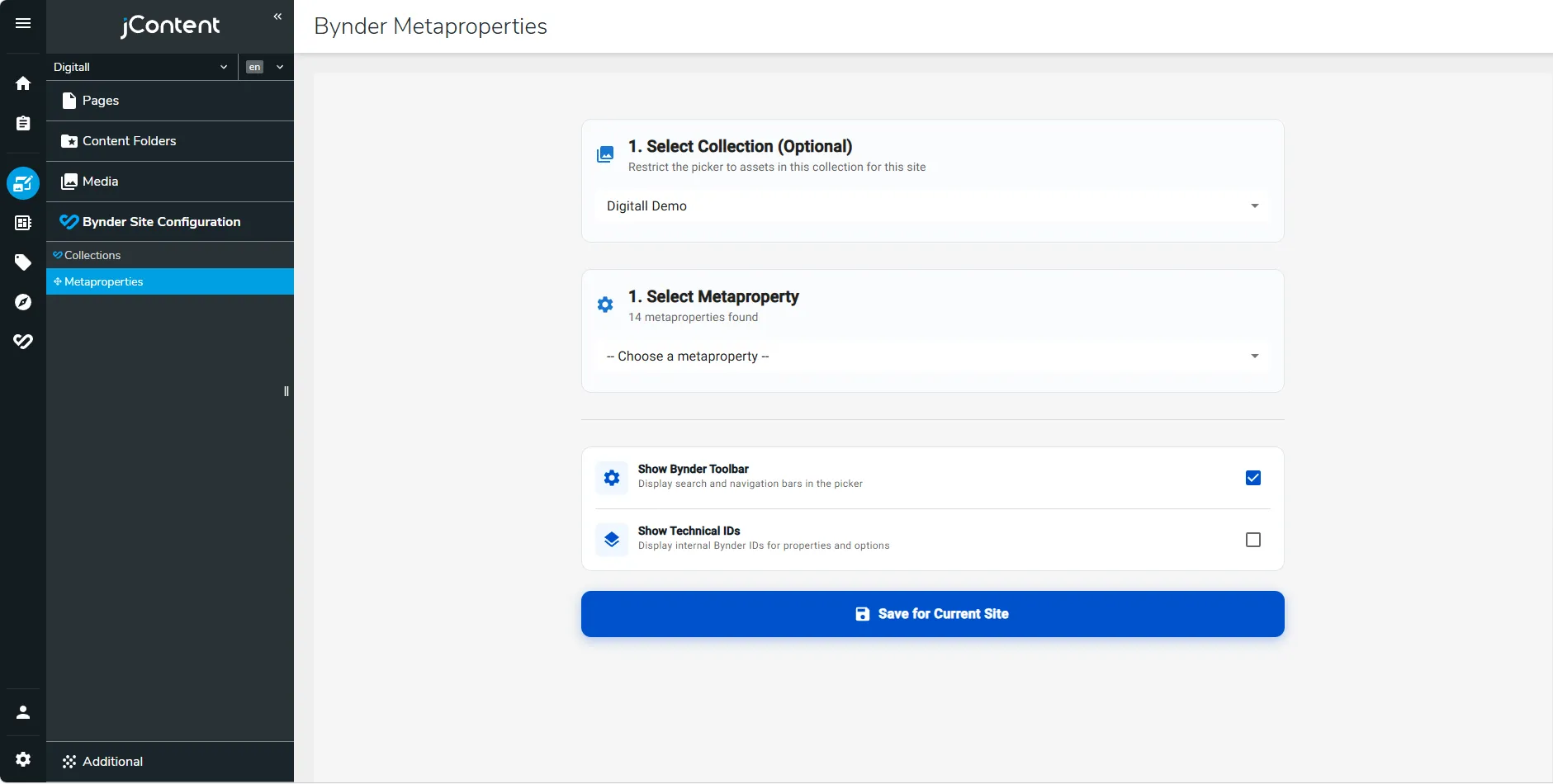
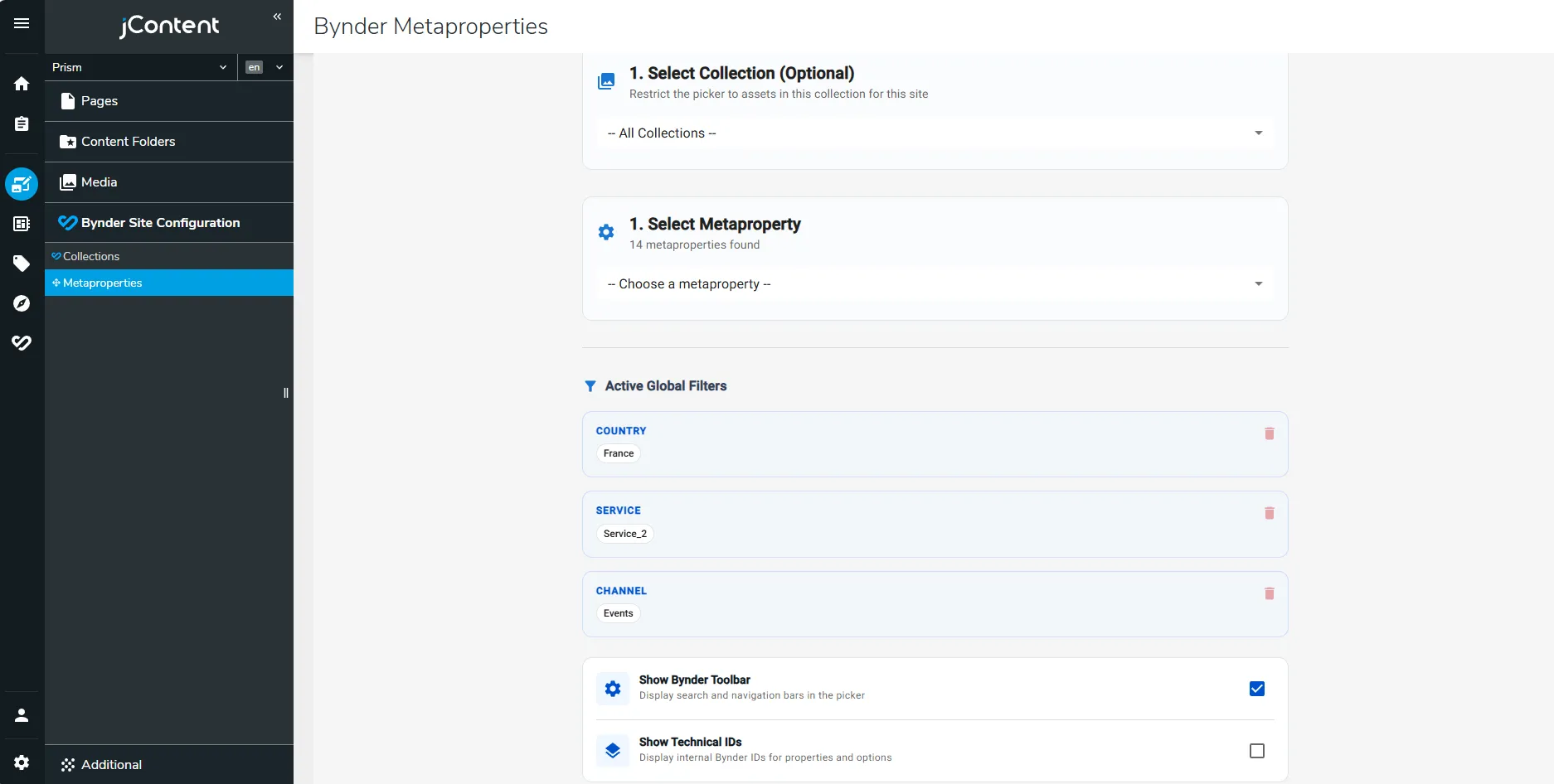
Same module, same codebase, three distinct editorial experiences.