Permissions & Security
This page covers how the Bynder Picker for Jahia authenticates to Bynder, how access control works per editor, and what security boundaries apply across a multi-site Jahia instance.
Two layers of authentication
Section titled “Two layers of authentication”The connector relies on two distinct authentication layers, which should not be confused with each other:
- Integration-level validation. A Bynder permanent API token is configured in Jahia (via Settings Screen, Karaf OSGi console, or provisioning file) to validate that the Jahia instance itself is authorized to communicate with the Bynder API. This token establishes the connection, it is not what determines which assets an editor can see.
- Editor-level authentication. Each content editor must individually connect (log in) to Bynder through the picker interface. Once connected, the picker enforces that editor’s own Bynder user permissions, meaning they can only browse, search, and select assets they are personally authorized to see, and only insert assets they are authorized to use, exactly as if they were working directly inside the Bynder portal.
This two-layer model means the permanent token is a gateway, not a bypass. It lets Jahia talk to Bynder, but every actual asset-level decision is still governed by Bynder’s own permission system per user.
Why this matters for governance
Section titled “Why this matters for governance”This distinction is a meaningful strength worth highlighting to enterprise buyers:
- No shared blind access. Unlike a model where a single token exposes the entire library to every Jahia editor equally, this connector preserves Bynder’s native permission granularity. An editor with access to only “Region: EMEA” assets in Bynder sees only those assets in the Jahia picker too.
- Consistent with least privilege. Editors never gain more access through Jahia than they already have directly in Bynder. The picker cannot be used to circumvent Bynder-side restrictions.
- Simplifies compliance conversations. Security reviewers evaluating the integration can point to existing Bynder security profiles as the enforcement layer, rather than needing to model a separate permission system inside Jahia.
What the permanent token is (and isn’t) for
Section titled “What the permanent token is (and isn’t) for”| Aspect | Permanent token | Editor’s own Bynder login |
|---|---|---|
| Purpose | Validates Jahia as an authorized API client | Authenticates the individual editor |
| Scope needed | Minimal, read-level API access to establish connection | Whatever that editor’s Bynder security profile grants |
| Determines asset visibility | No | Yes |
| Determines what can be inserted into content | No | Yes |
| Shared across editors | Yes, one token per configuration (global or per-site) only seen by administrators | No, unique per editor |
| Recommended privilege level | ReadOnly, minimal API scope | Managed entirely by Bynder’s existing user/role setup |
Editor connection flow
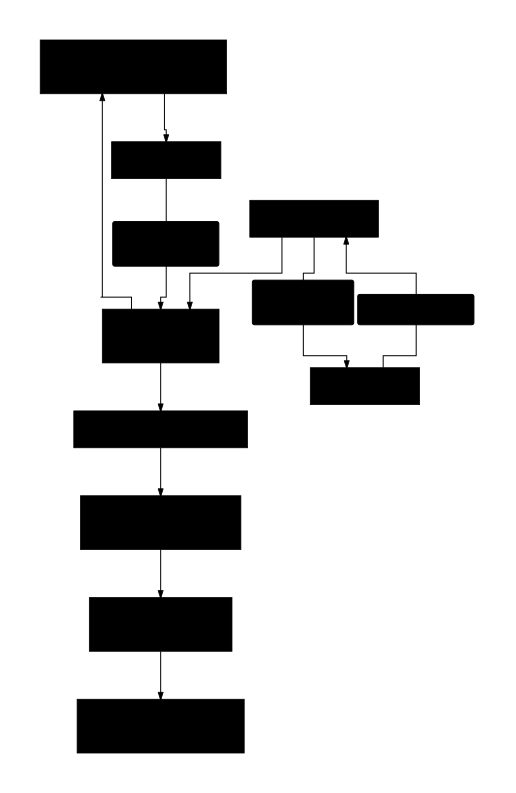
Section titled “Editor connection flow”- Editor opens the picker (Picture, Video, Audio, File, or the rich text asset button) inside Jahia’s Content Editor.
- If not already connected, the editor is prompted to authenticate with their own Bynder credentials.
- Once connected, the Universal Compact View loads scoped to that editor’s Bynder permissions, collections, and metaproperty access.
- The editor browses and selects only from what they are already authorized to see in Bynder, no additional access is granted or restricted by Jahia itself.
Recommendations
Section titled “Recommendations”- Keep the permanent token scoped as minimally as possible since it only needs to validate the API connection, not grant asset access.
- Manage actual editorial access (who can see which brand, region, or collection) entirely within Bynder’s existing user and security profile setup. This means onboarding or offboarding a Jahia editor’s Bynder access is a Bynder-side task, not a Jahia-side one.
- If an editor’s Bynder session expires or their account is deactivated, they will be prompted to reconnect or will lose picker access accordingly, independent of the Jahia account status.
Permissions in a multi-site configuration
Section titled “Permissions in a multi-site configuration”Per-site configuration (collection filters, metaproperty defaults) controls the default scoping and UI presented to editors on that site, but it operates on top of, not instead of, each editor’s own Bynder permissions. A per-site filter can narrow what’s shown by default, but it cannot grant an editor access to assets their Bynder account isn’t already permitted to see.
Jahia-side permissions
Section titled “Jahia-side permissions”Separately from Bynder access, whether an editor can access the picker fields at all (which content types, which components) is governed by standard Jahia roles and permissions, configured under Administration > Server > Users and Roles. The connector does not introduce a separate Jahia-side permission model, it layers on top of Bynder’s own access control once an editor is inside the picker.
Security FAQ
Section titled “Security FAQ”Does every editor need their own Bynder account? Yes. Each editor connects individually and the picker enforces their personal Bynder permissions rather than relying solely on the shared integration token.
What is the permanent token actually protecting against? It ensures only an authorized Jahia instance can call the Bynder API at all. It is an API-level gate, not an asset-level permission mechanism.
Can an editor see more in Jahia than they can in Bynder directly? No. The picker reflects the same permission boundaries as the Bynder portal itself, since it is the editor’s own authenticated session driving what’s visible.
What happens if an editor’s Bynder access is revoked? They immediately lose the ability to browse or insert assets through the picker on their next interaction, consistent with their access being revoked directly in Bynder.